
Context.
Launched in April 2009 by THE NET-A-PORTER GROUP, THE OUTNET offers previous-season luxury fashion from 350+ designer brands at up to 75% off.
Four years after the last major update, the Fashion Division set a goal to enhance the app experience within a three-month timeframe. At the same time, Web had introduced a new strategic head, creating an opportunity to align app and web into a more consistent omnichannel experience.
To support this vision, we began introducing shared components from the Design System into the app to unify interaction patterns, visual language, and core behaviours across platforms.
Within this initiative, I was tasked with leading the iOS Refresh, proposing and designing new ideas to elevate the overall customer journey.
Project Summary
Redesigned navigation, discovery and core shopping flows. Identified 89 usability issues and improved filters (+67%) and sort usage (+104%).
Date
2018
Methods and Tools
User Research
UX Design
UI Design
User Testing
Design challenge.
With a newly formed Product Design Team, knowledge was fragmented across the organisation. I worked cross-functionally to consolidate insights and define direction.
Our goals were to improve the iOS experience, align iOS and Android, strengthen navigation and usability, and lay the foundation for a consistent omnichannel digital commerce experience.
Discovery.
As part of the discovery phase, we collaborated closely with the Marketing Insights team to understand THE OUTNET’s customer base on a deeper behavioural and emotional level. Two primary personas emerged—each with distinct motivations, shopping behaviours, and expectations from a luxury discount app. These personas helped shape the design strategy and informed prioritisation decisions throughout the iOS Refresh.
Established Affluents
Profile:
A high-income, fashion-savvy demographic who regularly purchase premium designer products. They value exclusivity, service, and curated experiences.
Traits & Behaviours:
- Attend VIP events, fashion previews, and private trunk shows
- Seek limited-edition pieces and special collaborations
- Highly influenced by well-dressed peers, industry tastemakers, and luxury culture
- Expect a seamless, premium digital experience comparable to flagship retail
- Prioritise quality, craftsmanship, and brand heritage
- Use the app frequently to browse new-in arrivals and premium edits
Emotional Drivers:
- Desire to feel exclusive, privileged, and “in the know”
- Value effortless luxury—frictionless, high-end browsing
- Seek confidence in making high-price purchases


Style Strivers
Profile:
A younger, price-conscious audience drawn to designer fashion for self-expression and social credibility.
Traits & Behaviours:
- Highly trend-driven, using influencers and social media for inspiration
- Actively seek discounts, flash sales, and higher-value finds
- Care deeply about social appearance and style perception
- Browse frequently for inspiration, outfit ideas, and new trends
- May feel overwhelmed by too many categories or unclear navigation
- More likely to explore Just In, Sale, and curated style edits
Emotional Drivers:
- The need to feel stylish, relevant, and confident
- Pride in finding great deals on designer pieces
- Excitement from discovering items that elevate their personal brand
Why Personas Mattered
These personas directly influenced how we interpreted analytics data and informed decisions around:
- App navigation and taxonomy
- Visual hierarchy for new arrivals, sales, and categories
- Placement of wishlist, search, and browsing tools
- Interactions tailored for high intent vs. inspiration-driven users
- Prioritisation of issues during the UX audit
Understanding both personas ensured that the refreshed iOS app served the needs of customers seeking effortless luxury and customers looking for discovery, inspiration, and value.

Understanding Navigation
Behaviour & UX Gaps
Working with the Analytics team in Bologna, we identified key navigation behaviours showing strong interest in the “Just In” section, as well as signs of confusion—such as users repeatedly clicking it or returning to Categories due to difficulty finding products.
To investigate further, I conducted a UX Audit that combined analytics, heuristic evaluation, and a full content and functionality inventory. This revealed structural issues across both platforms, including weak search handling, fragmented product information, repeated flows, unclear filters, and limited product discovery features—highlighting broader problems with navigation clarity and wayfinding.
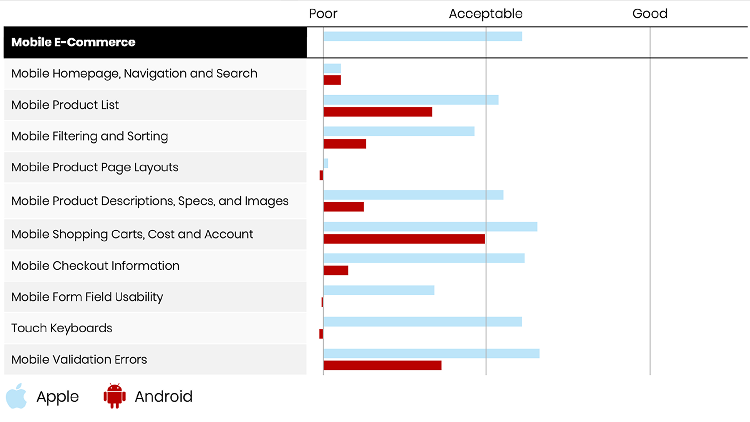
Understanding the
Business Objective
One of the core objectives behind the iOS Refresh was to improve navigation. From a design perspective, we expanded this objective to revisit the entire taxonomy of the app.
Through early analysis, I identified:
- Inconsistencies between iOS and Android sub-pages
- Limited and unintuitive access to Wishlist on iOS
- Opportunities to unify interaction patterns across both platforms
This laid the foundation for evaluating the app with a more holistic approach.
Define.
Defining the Research to the Team
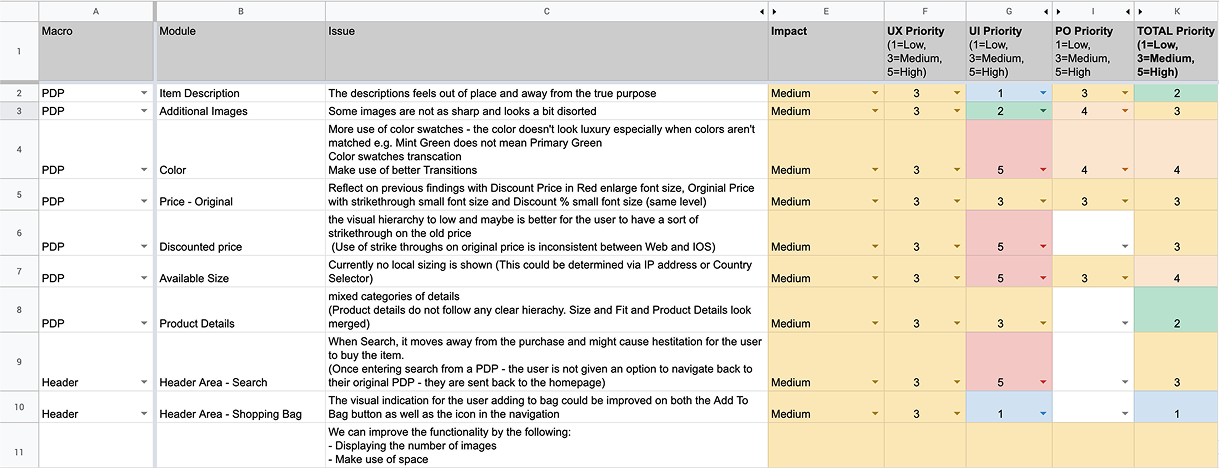
Using these insights, I ran an empathy mapping workshop to align the Product Design team on user needs. I then prioritised 89 usability issues using a severity-and-impact model informed by Baymard’s guidelines.
Presenting these findings to Product, Delivery, Engineering, and QA aligned stakeholders and established a clear roadmap for the iOS Refresh.
Validating the Designs
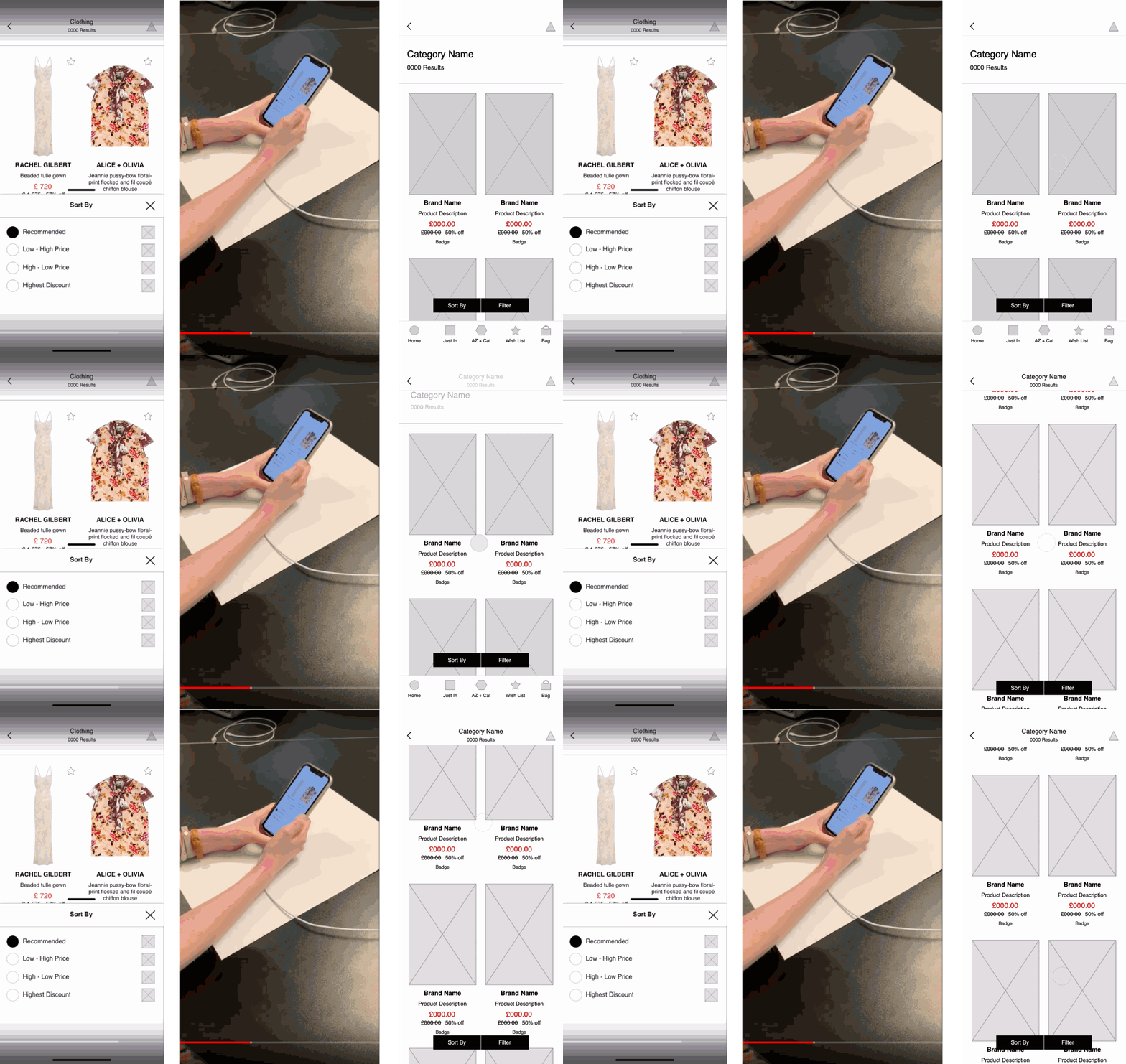
To validate design solutions, we ran internal user testing with clearly assigned team roles. I created an interactive prototype focused on the PLP → PDP journey and developed a structured testing script to evaluate key interactions identified during the UX Audit.
User Testing Insights
User testing revealed confusion around sorting feedback, filter confirmation, touch targets, and low-stock notifications. While the Wishlist icon was understood, users expected quicker actions, such as size selection and quick add.
These insights informed the next iteration, focusing on clearer feedback, simpler interactions, and more intuitive browsing.
Design.
Using insights from analytics, personas, and testing, we defined several key design directions aimed at improving navigation, accessibility, and clarity across the app.
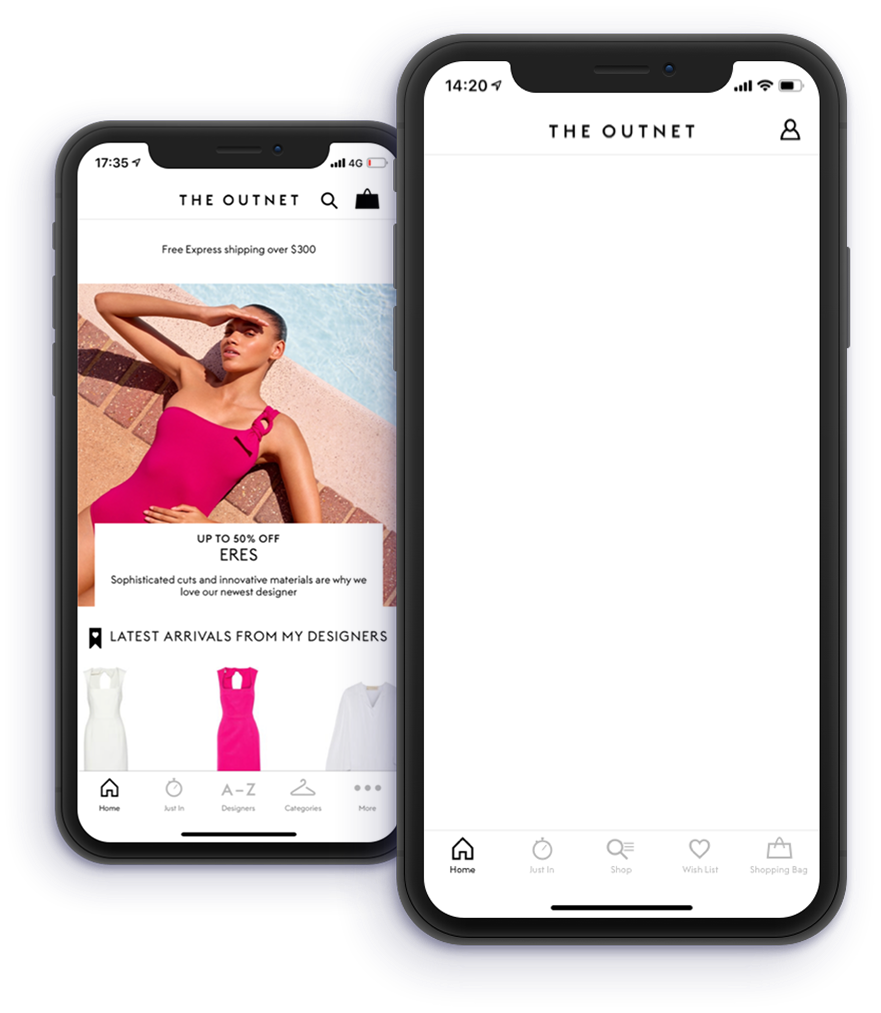
Putting Search Front and Centre
Analytics showed poor engagement with Search and Shopping Bag because they were not easily accessible.
We redesigned the navigation to:
- Consolidate Search, Categories, and Designers
- Place My Bag and Wishlist in the bottom navigation
- Centralise My Account on Home
This made high-value actions more reachable and aligned the iOS and Android structures.
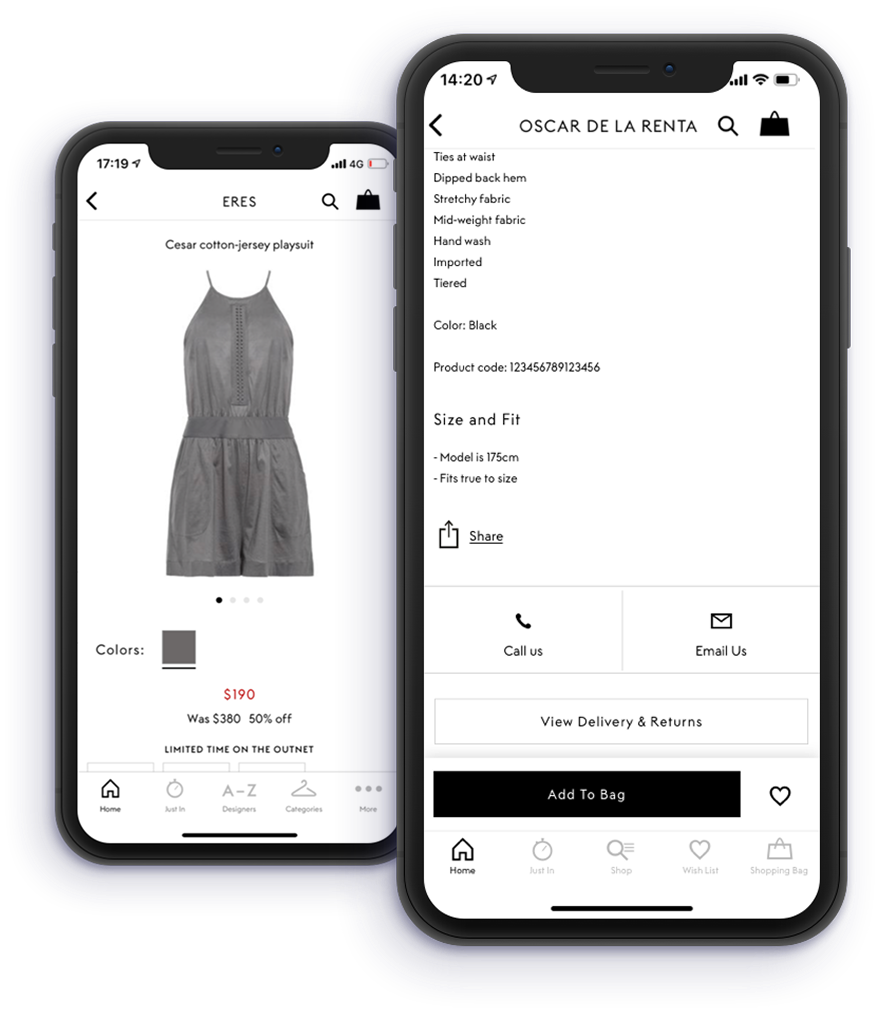
Enhancing Add to Bag Accessibility
User behaviour showed that shoppers often scrolled past the Add to Bag button when exploring product information—resulting in a missed conversion opportunity. To address this:
- Introduced a sticky “Add to Bag” element on scroll to maintain visibility during exploration.
- When the user reached “You May Also Like,” the sticky bar automatically disappeared to maintain zoning relevance and avoid clutter.
This aimed to increase conversions by keeping key CTAs visible at the right moments.
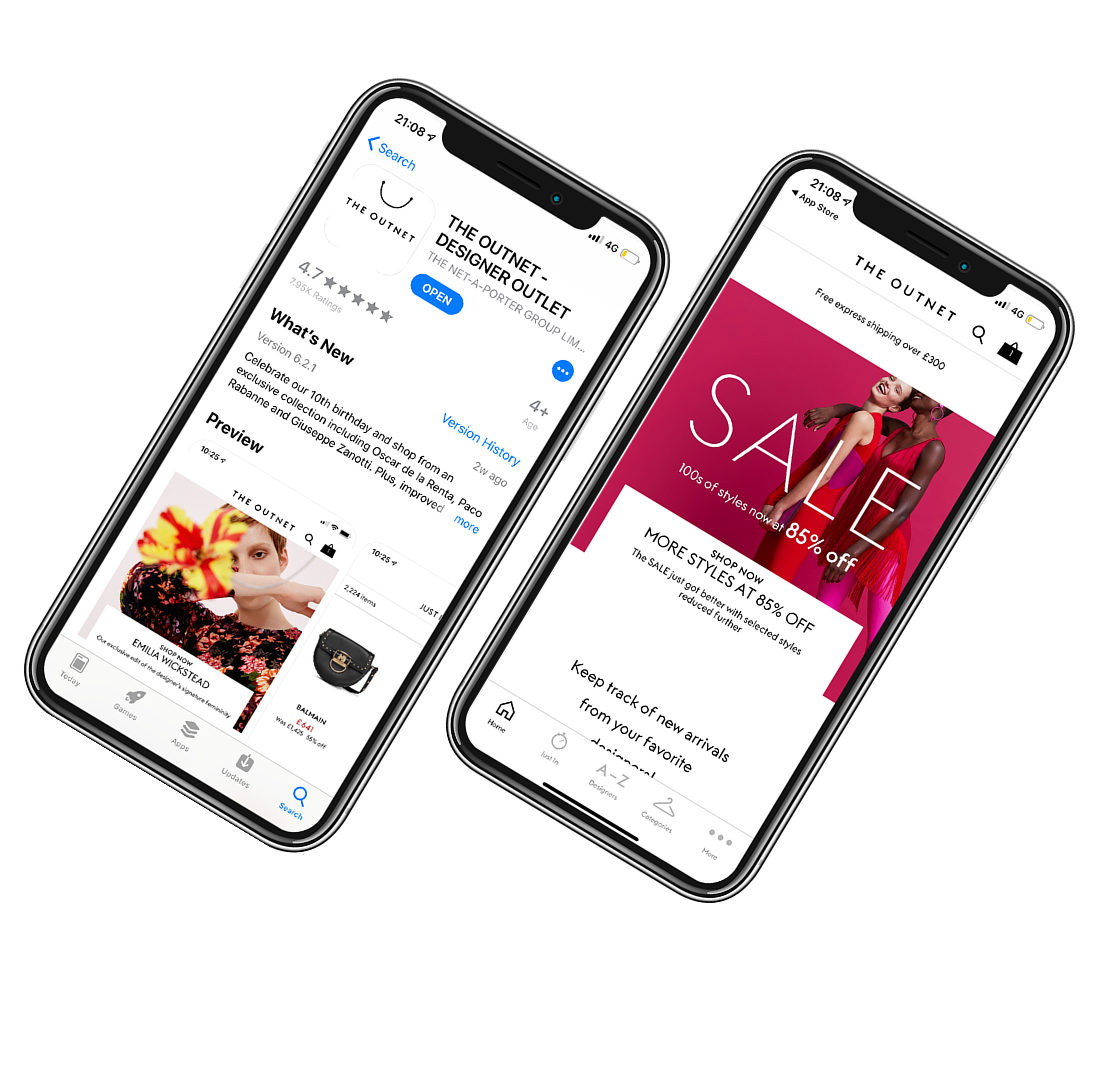
Removing Home Screen Inconsistencies
Visual inconsistencies on the Home screen created hierarchy and readability issues—especially around offers and small print. Design recommendations included:
- Introducing consistent white panels behind promotional content to enhance legibility on iOS.
- Removing restrictive white boxes to give the Creative Team more freedom with image crops and messaging hierarchy.
- Eliminating creative barriers that limited layout options.
This improved both brand expression and user clarity.
Delivery.
During development, we partnered with the wider business and engineering teams to run targeted A/B tests using Firebase. This allowed us to validate the highest-impact improvements before full rollout.
We prioritised two experiments:
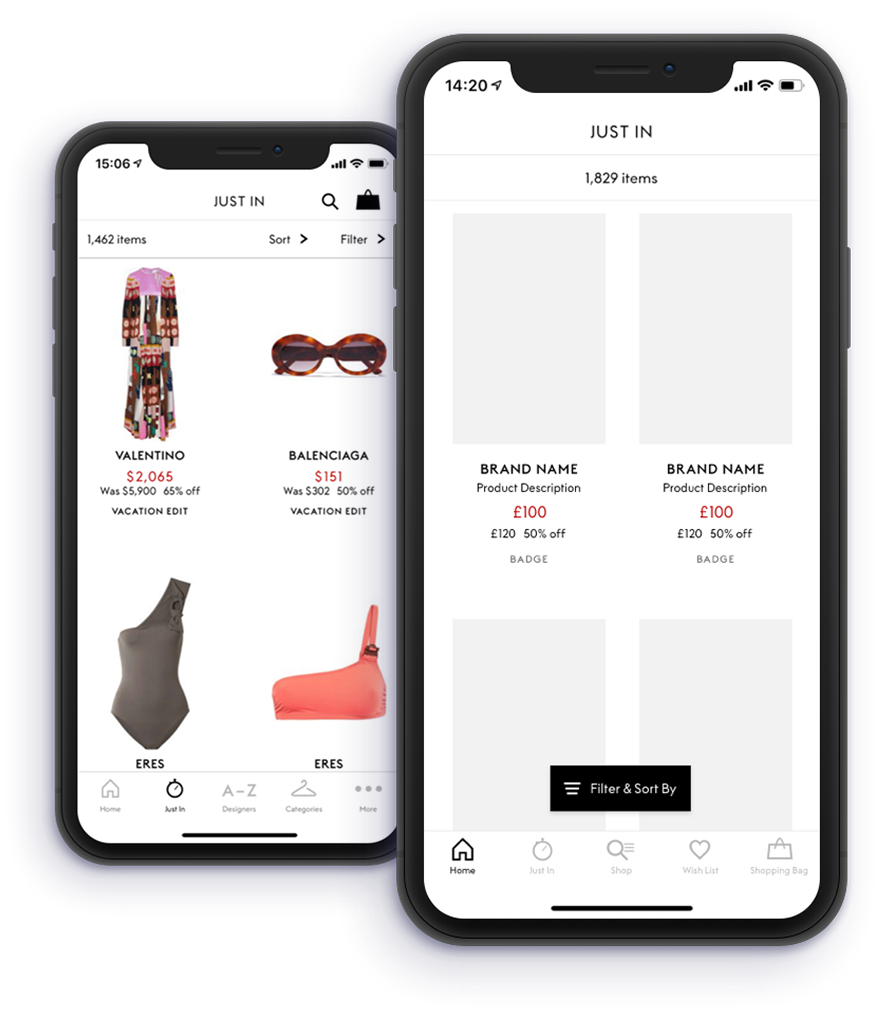
- Filters & Sort on PLP
- Sticky Add to Bag & Wishlist on PDP
A/B Test Results

PLP Filters & Sort
+67% increase in filter usage per unique session
+104% increase in sort usage per unique session


PDP Sticky Add to Bag
No significant uplift in key metrics
Suggested the need for deeper behavioural investigation


Key takeaway
The PDP experience will be revisited to explore alternative placements, triggers, or contextual moments to surface Add to Bag more effectively.
Impact.
Business Impact
The iOS Refresh delivered measurable engagement gains, with filter usage up 67% and sort usage up 104%, improving product discovery and relevance.
It also strengthened navigation, aligned app and web through shared design system components, and established a data-backed roadmap for ongoing optimisation.


UX Impact
The refresh created a cleaner, more intuitive app experience with clearer navigation, improved interaction patterns for sorting, filtering, and Wishlist actions, and better visibility for key features like Search and My Bag.
It also established cross-platform consistency and prioritised 89 usability issues, enabling a more structured, evidence-driven approach to future improvements.
Organisational Impact
The project strengthened cross-functional collaboration across Product, Analytics, Engineering, and Delivery, while establishing repeatable frameworks for UX audits, prioritisation, and testing.
It improved stakeholder communication, clarified engineering requirements, and elevated Product Design’s role as a strategic partner in decision-making.