
RealifeTech · B2B SaaS · Enterprise Marketing Platform
Campaign Automation
RealifeTech’s segmentation engine was technically sophisticated — but the experience for venue marketing teams was not. I designed a campaign automation tool that made advanced personalisation accessible to non-technical marketers, and helped close the Phoenix Suns as an enterprise client.
Company
RealifeTech
My Role
Mid Product Designer
Client
Phoenix Suns + enterprise venues
Type
SaaS product design
↑
Enterprise adoption
Campaign Automation supported enterprise client acquisition including the Phoenix Suns.
↓
Campaign setup time
Non-technical marketers could now build and launch campaigns independently.
GTM
Differentiator
Used directly in enterprise sales conversations as proof of platform capability.
01 · Context
Powerful segmentation. Inaccessible tool.
RealifeTech’s segmentation and personalisation engine was genuinely sophisticated. But the experience for venue marketing teams trying to use it was not. Complex campaign setup, unclear segmentation logic, fragmented workflows, and limited performance visibility meant the platform’s power was largely invisible to the people it was supposed to empower.
The brief was to design a Campaign Automation tool that translated this technical capability into a product that non-technical marketers could adopt confidently — while positioning it as a go-to-market differentiator in enterprise sales conversations.
Problem Statement
Venue marketing teams were unable to run personalised, data-driven campaigns independently because the existing tooling required technical expertise they didn’t have — resulting in low adoption, slower launches, and an underutilised segmentation capability that should have been a competitive advantage.
02 · Discovery
Understanding where campaigns broke down
Discovery focused on the end-to-end campaign lifecycle — from audience selection through to performance monitoring — to identify exactly where complexity caused abandonment, hesitation, or error. We recruited five relevant participants through Customer Success to ensure feedback came from real campaign users, not proxies.
Step One
Screen flow mapping — tracing the campaign lifecycle end to end
I mapped end-to-end screen flows for the full campaign lifecycle. This identified cognitive overload points, unclear decision moments, and opportunities to simplify workflows while progressively revealing advanced functionality. The flows became the backbone of the testing script.
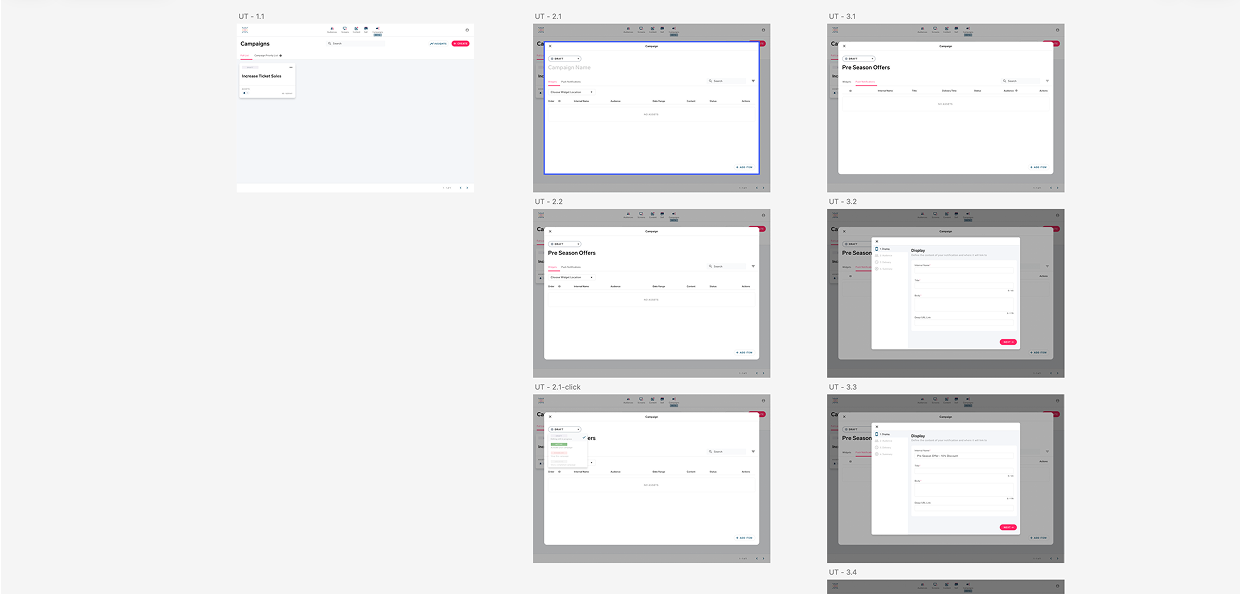
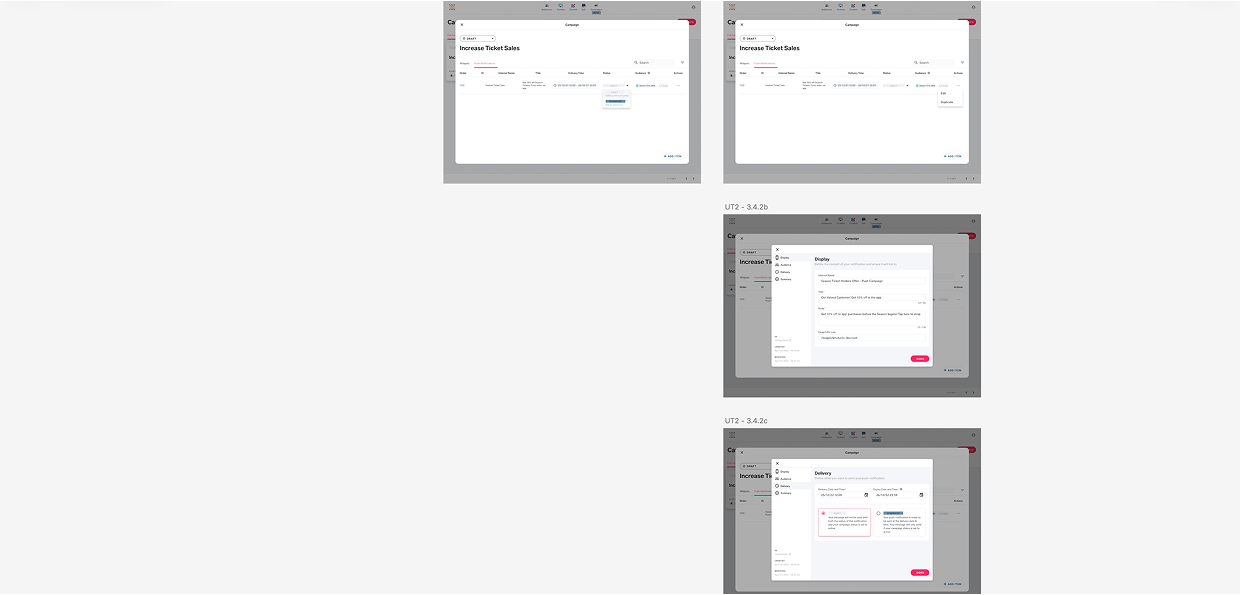
Mapping identified three distinct points of highest abandonment: audience configuration, scheduling, and performance interpretation.
Step Two
Usability testing — five real campaign users, recruited through Customer Success
Working with Customer Success, we recruited five relevant participants — actual campaign users, not proxies. Structured sessions using a clickthrough prototype focused on validating the core campaign flow. The goal was to understand where users felt confident versus uncertain, and which steps felt unnecessary or overly complex.
What we found
01
Segmentation logic was invisible to users
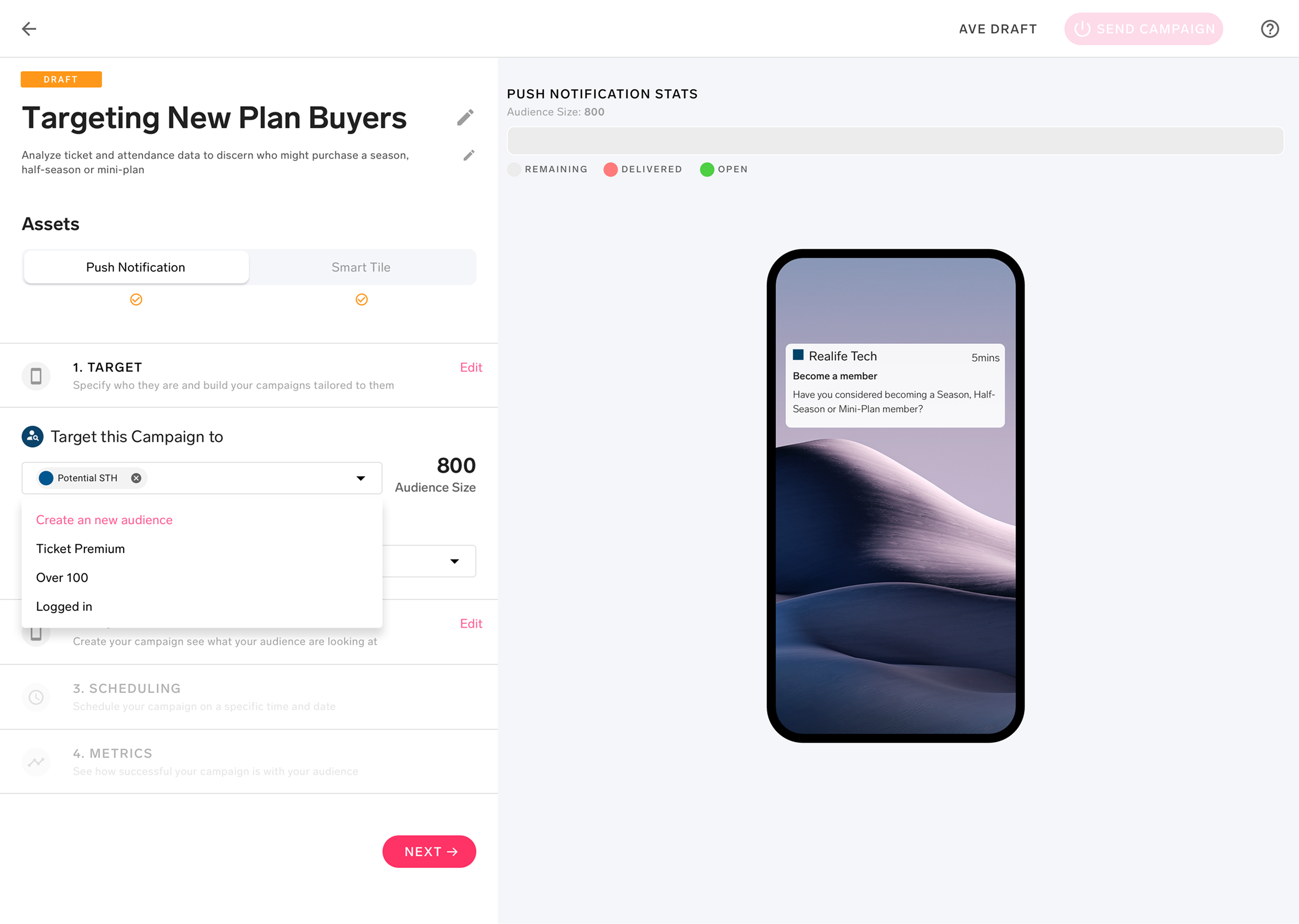
Users couldn’t see the impact of their segmentation choices until after campaign creation. Real-time audience size feedback was the most requested improvement across all five sessions.
02
Parallel campaign management had no structure
Teams running multiple campaigns had no way to understand how they interacted, overlapped, or competed for the same audience segments — creating operational confusion and strategic risk.
03
Scheduling was the point of highest abandonment
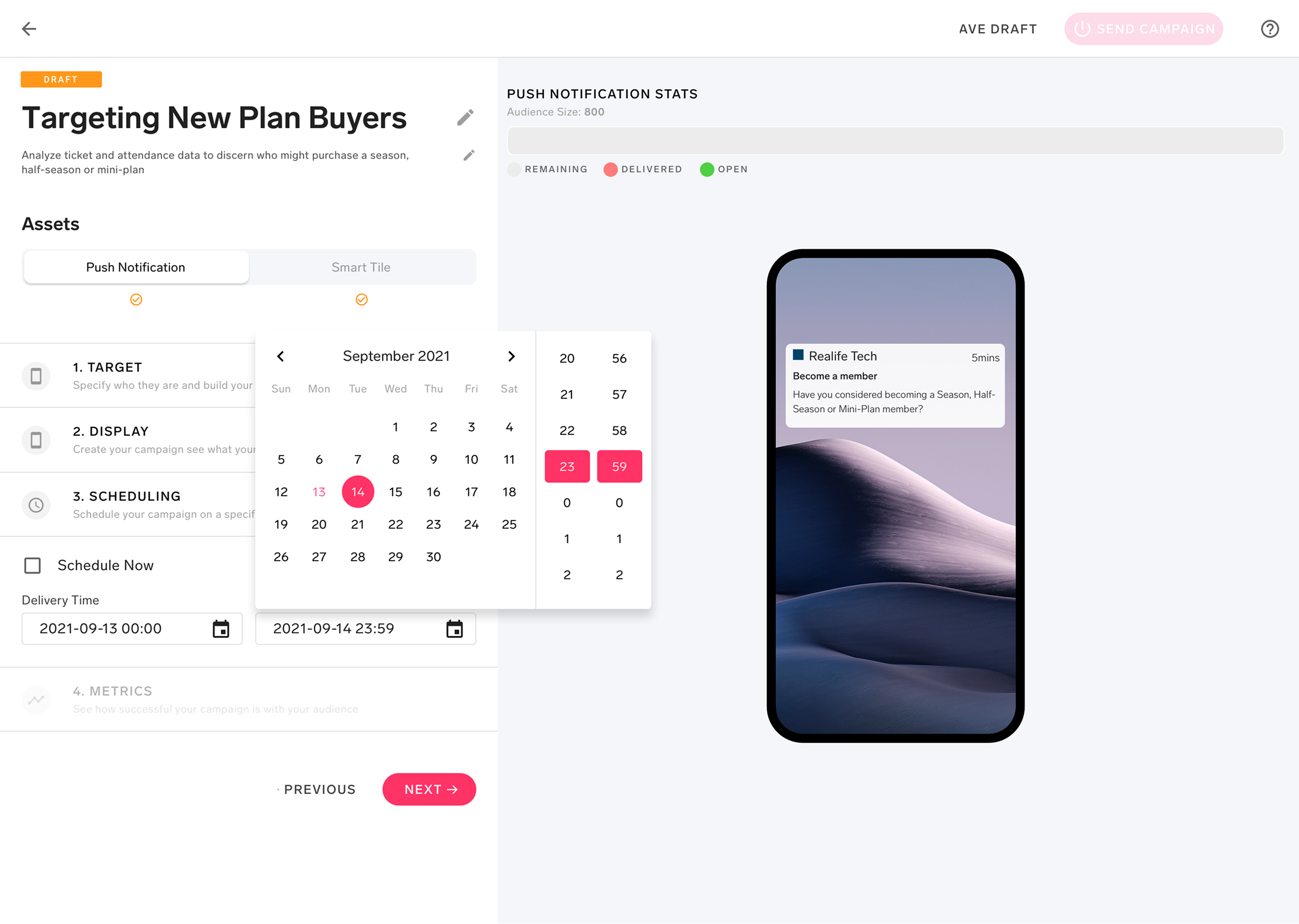
Not because users didn’t understand scheduling — but because the interface gave them no confidence that their timing choices would interact correctly with real-time API data and other live campaigns.
04
Users wanted the power — just not all at once
No one asked for a simpler tool in terms of capability. They asked for a tool that revealed complexity at the right moment — when they were ready for it, not upfront as a configuration wall.
Structured sessions with the prototype before development, not after. Friction found early is exponentially cheaper to fix.
03 · Design Process
Four principles. One MVP.
The design was governed by four principles aligned with the team:
clarity over complexity, progressive disclosure, confidence through feedback, and speed to launch.
Every decision was evaluated against these before moving forward.
Decision 01
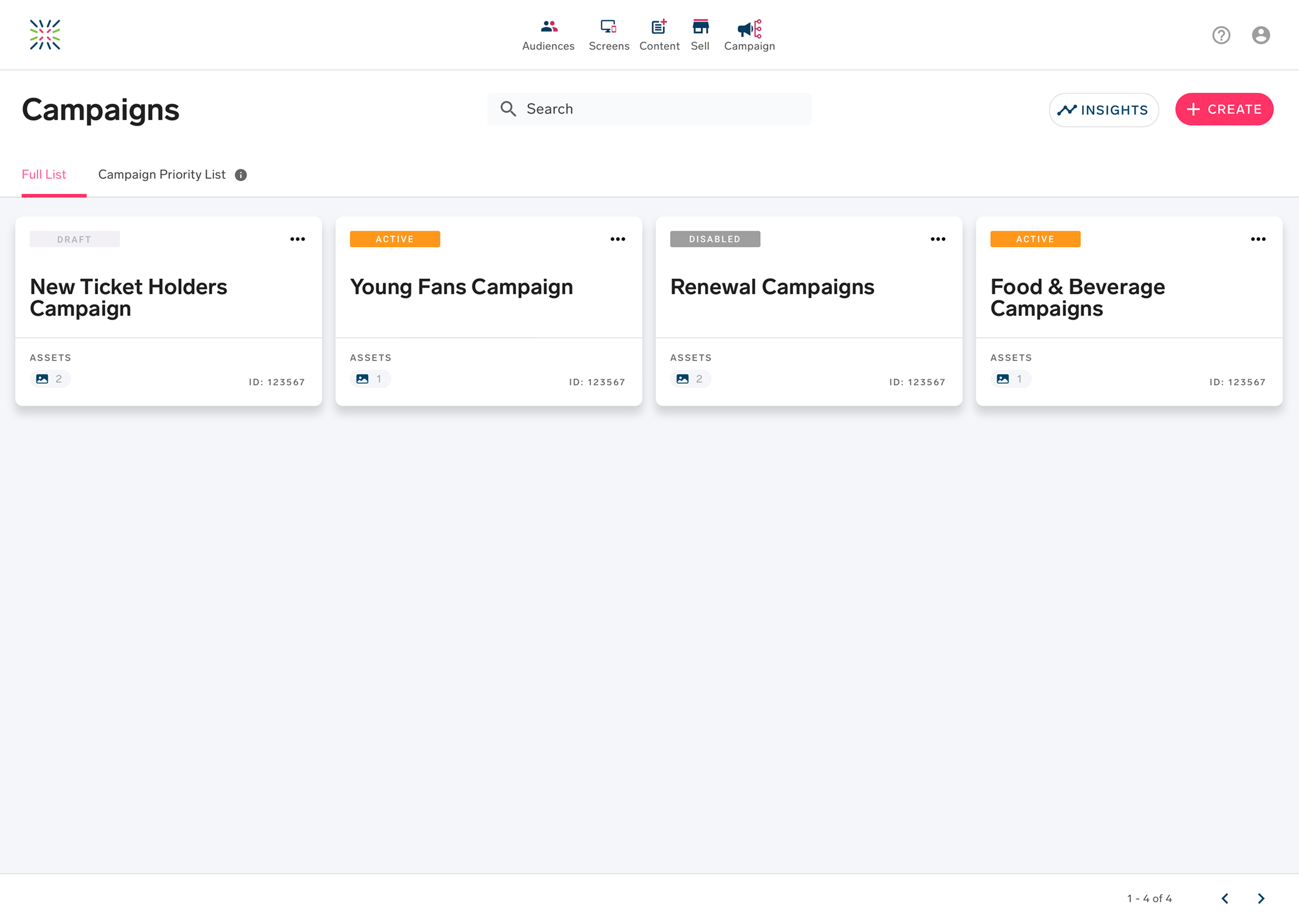
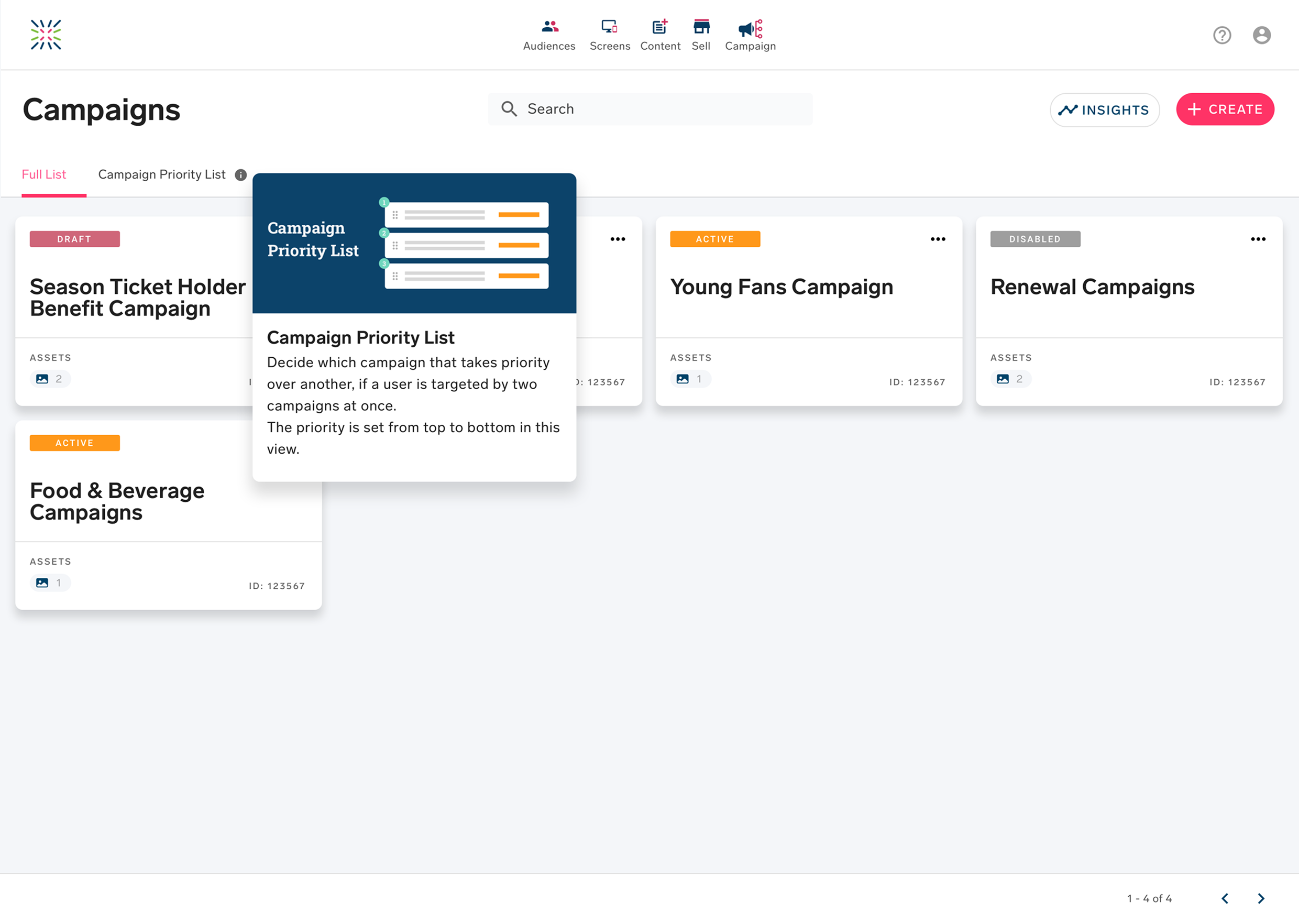
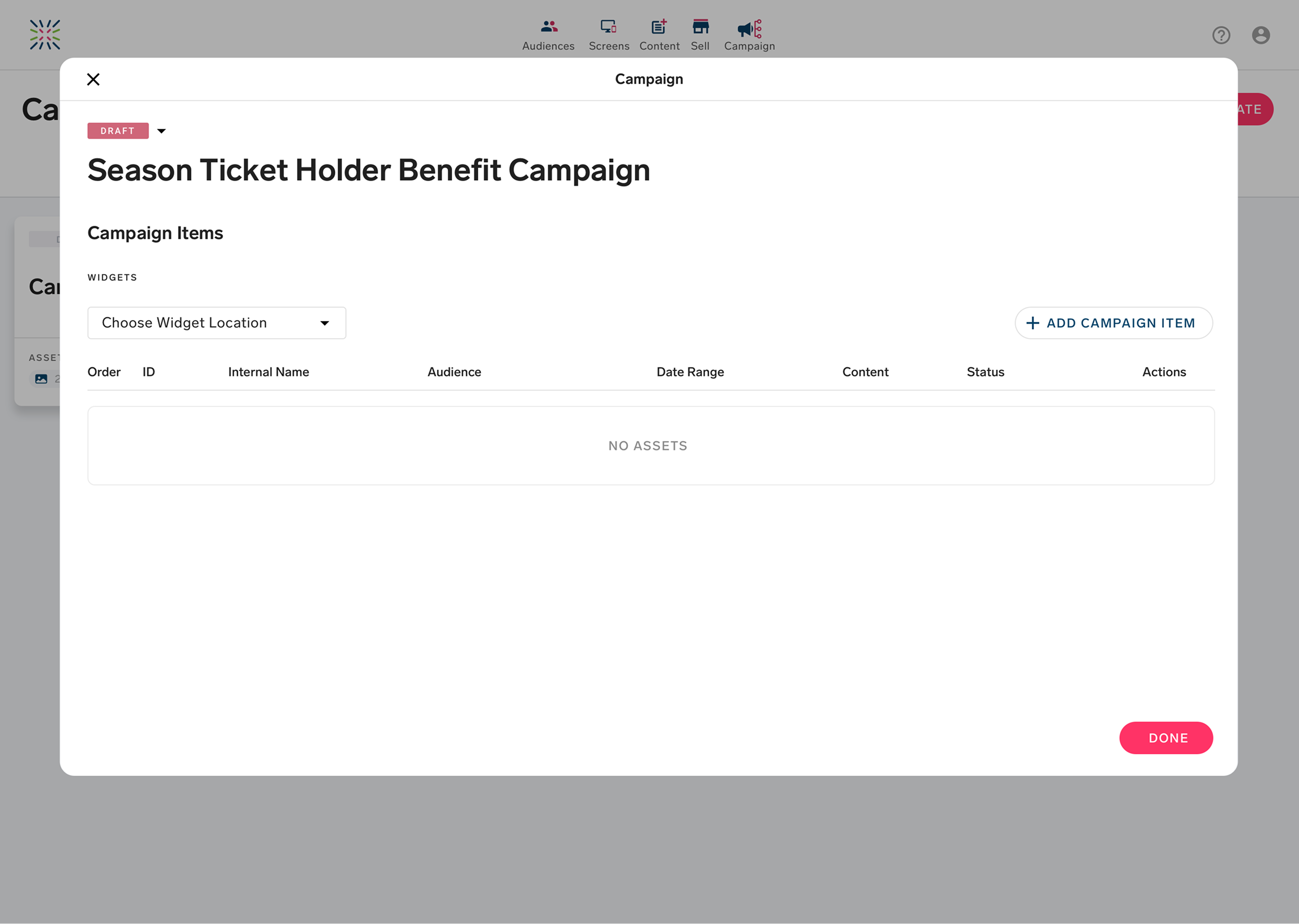
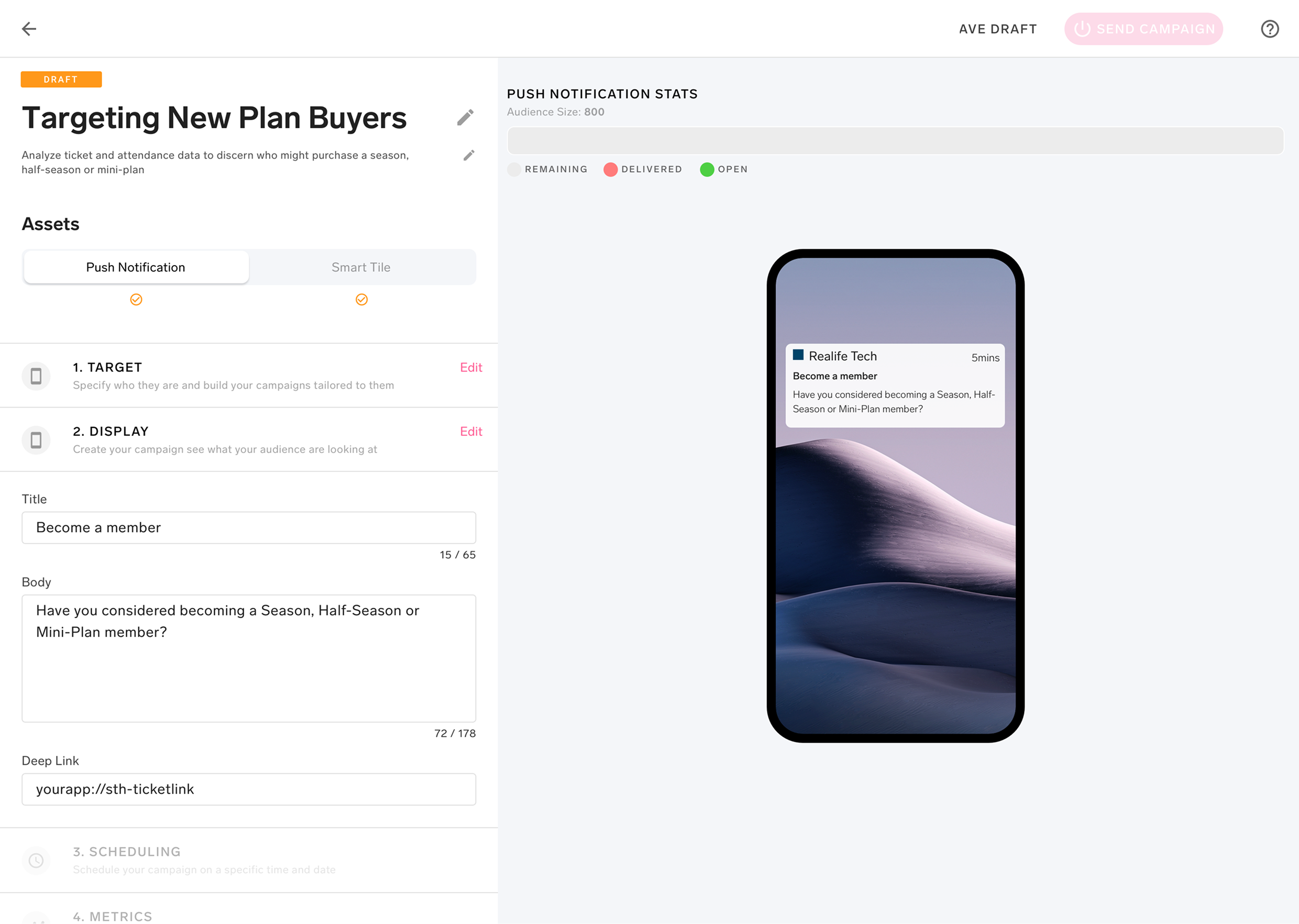
Campaign Priority List for parallel campaign management
Rather than treating campaigns as isolated objects, the Campaign Priority List gave teams a structured view of all active and scheduled campaigns — showing how they related to each other, which audiences they were targeting, and how they were sequenced. Strategic visibility without adding complexity to the core creation flow.
Decision 02
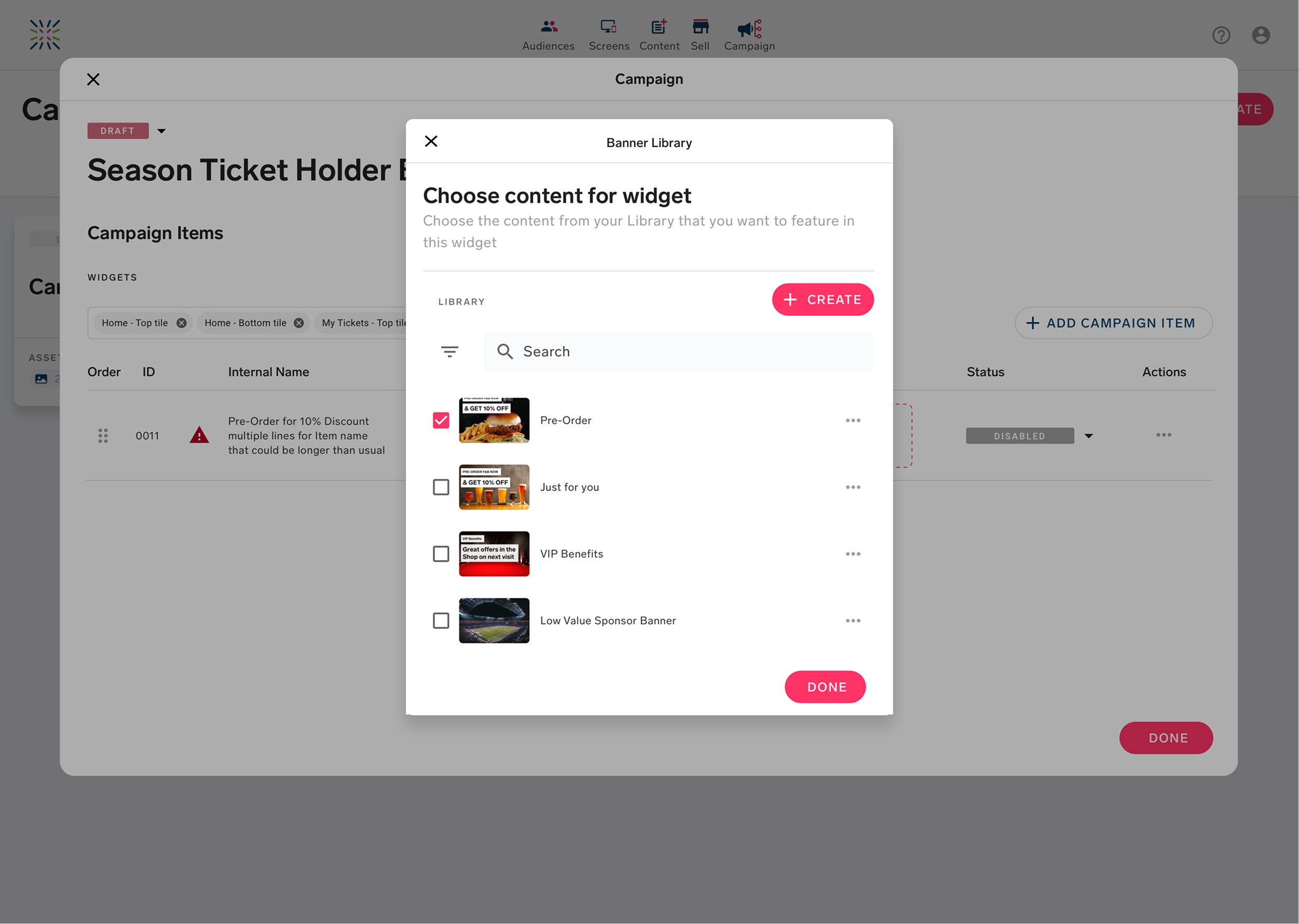
Modal variation on an existing widget — not a new component
To accelerate delivery, I enhanced an existing content widget with a modal variation rather than building from scratch. This maintained design system consistency, preserved task context without navigating away, and was also the right UX call for the moment in the flow where it appeared.
Decision 03
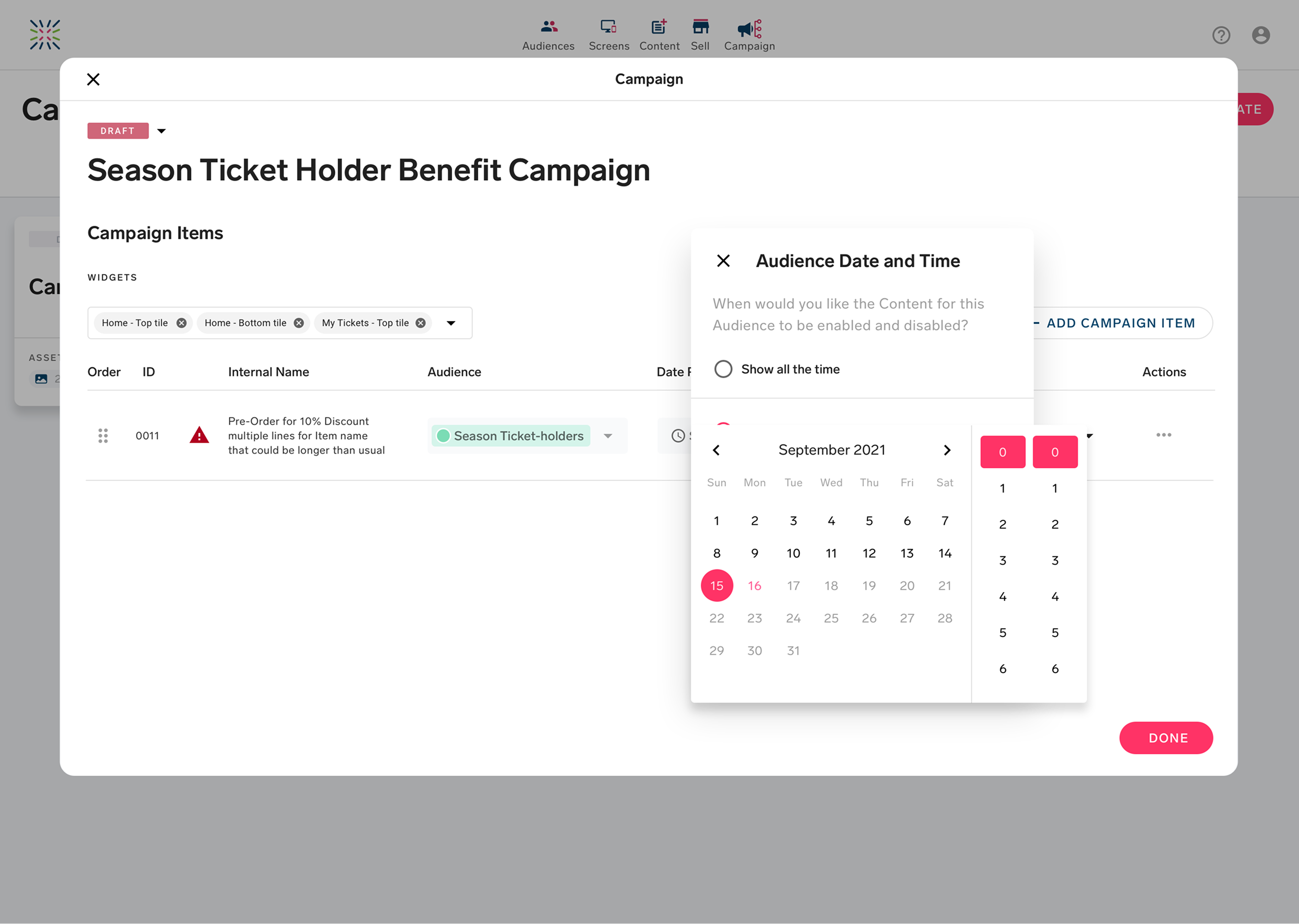
Table-view row pattern for scheduling with real-time API awareness
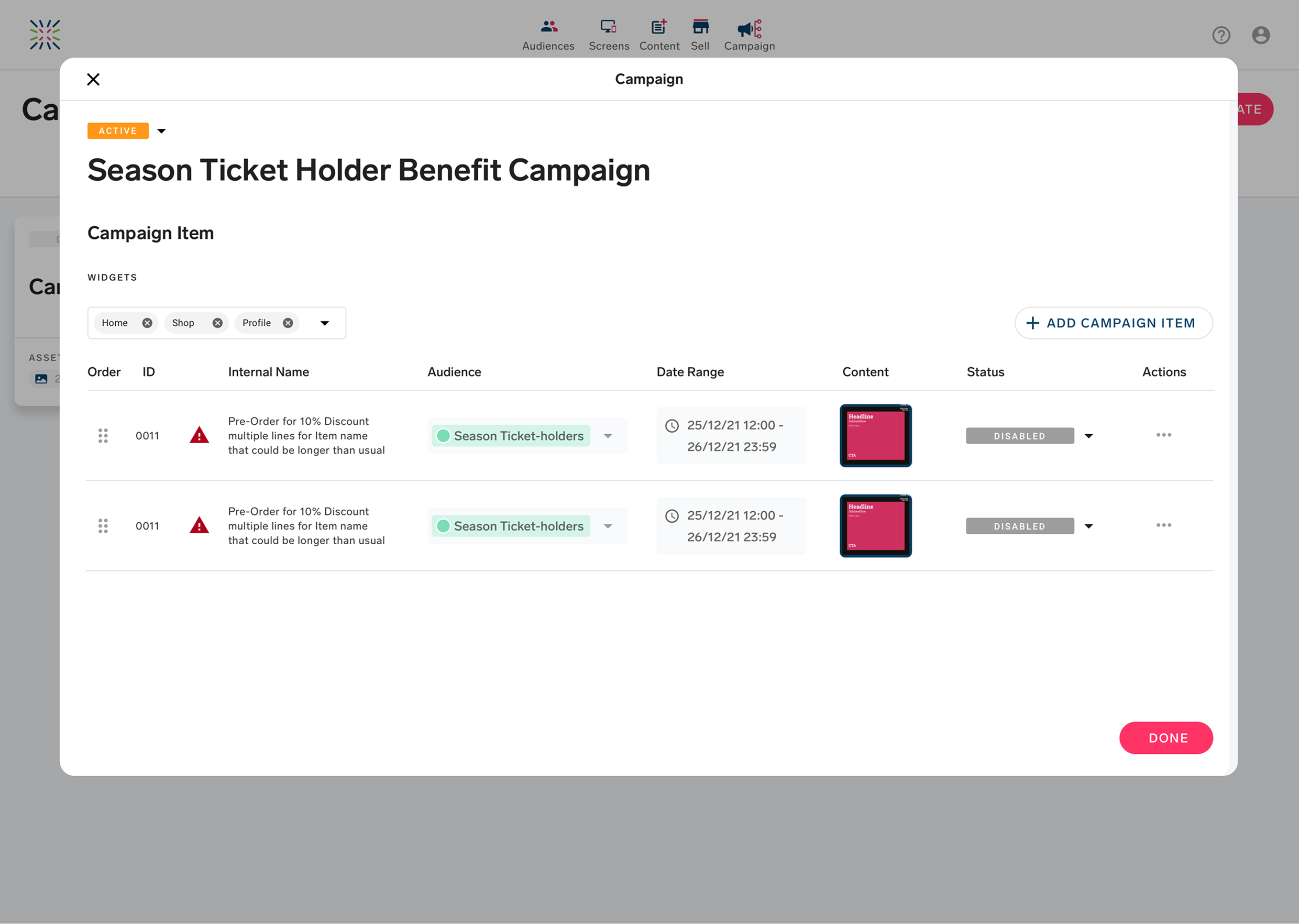
The scheduling interface handled campaigns running simultaneously against real-time audience data — without exposing that complexity to the user. A reusable table-view row pattern gave teams a clear, scannable view of scheduling details and communicated timing status clearly without requiring users to understand the underlying API behaviour.
04 · Outcomes
From product feature to revenue driver
Campaign Automation shifted from a product feature into a strategic commercial asset. It became part of RealifeTech’s enterprise sales narrative — used in conversations with the Phoenix Suns to demonstrate the platform’s revenue activation capability, not just its data sophistication.
↑
Enterprise adoption
Supported acquisition of the Phoenix Suns and other enterprise clients as part of their digital engagement strategy.
↓
Custom config reliance
Marketing teams now operate independently — launching campaigns without developer support or custom configuration.
→
Platform repositioning
RealifeTech shifted from data platform to revenue activation engine, with Campaign Automation as the tangible proof point.
05 · Reflections
What I’d take forward
01
Customer Success as a research partner is underrated
Recruiting through CS gave us real campaign users with genuine context. Their feedback was specific and rooted in actual problems — not hypothetical ones. Replicable on any B2B product where a customer-facing team exists.
02
Progressive disclosure is a strategy, not just a pattern
Deciding what to show, when, and to whom required as much strategic thinking as the interface design itself. Resisting the urge to surface everything upfront — and designing a clear disclosure hierarchy — was the decision that most improved usability scores.
03
Measurement alignment before design is non-negotiable
Aligning on adoption metrics — time-to-launch, confidence in targeting — across Product, Analytics, and CS before design began meant we could actually evaluate success. This alignment step is now standard in how I set up any B2B product project.
06 · Beyond
The Future
Next // Selected Works
Knowing Your Client
Get In Touch
Let’s build something great together.
Whether you’re looking for a Senior Product Designer for your next big project or want to talk through a challenge — I’m always happy to have a conversation.